World intelligence
Region-file reading, surface rendering, chunk filters, overlays, exports, deletion, and version-aware data handling.
 World Repair Studio · 1.0.0
Minecraft world editor · Independent MCA Selector fork
Inspect terrain, isolate damaged or unwanted chunks, move builds between saves, and prepare old regions to regenerate—inside a workspace designed around the job you are trying to finish.
 Isometric 3DNothing changes until you confirm
Credit where it belongs
MCA Selector by Querz is the mature open-source foundation beneath World Repair Studio. It knows how to read Minecraft region files, render worlds, filter chunk data, export selections, and perform the edits that make region-level repair possible.
World Repair Studio does not hide that lineage. It keeps MCA Selector’s MIT license and attribution, then builds a new workflow and interface around its proven engine.
Region-file reading, surface rendering, chunk filters, overlays, exports, deletion, and version-aware data handling.
Onboarding, detached controls, world tabs, selection context, a simplified 3D view, clearer settings, and safer confirmation flows.
One world, three ways to understand it
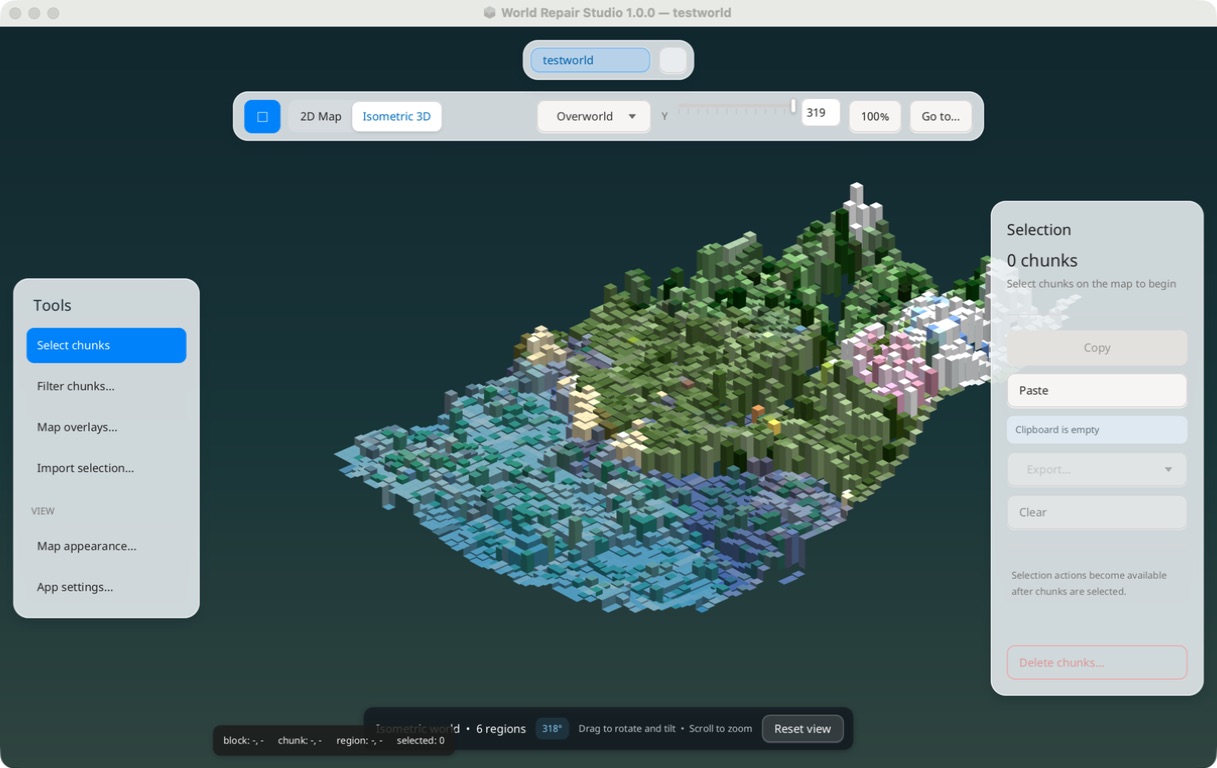
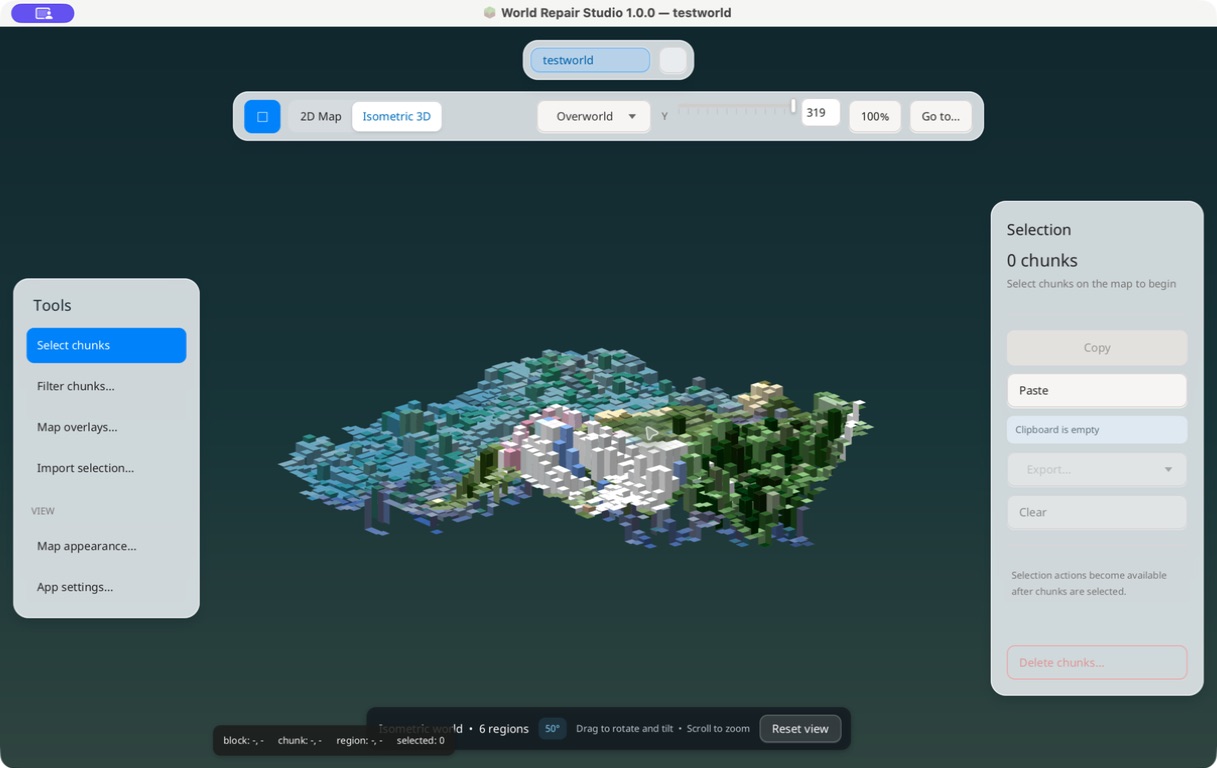
The isometric view turns real surface colors and terrain heights into a simplified model. Rotate and tilt it to understand cliffs, cuts, builds, and biome transitions before selecting anything.
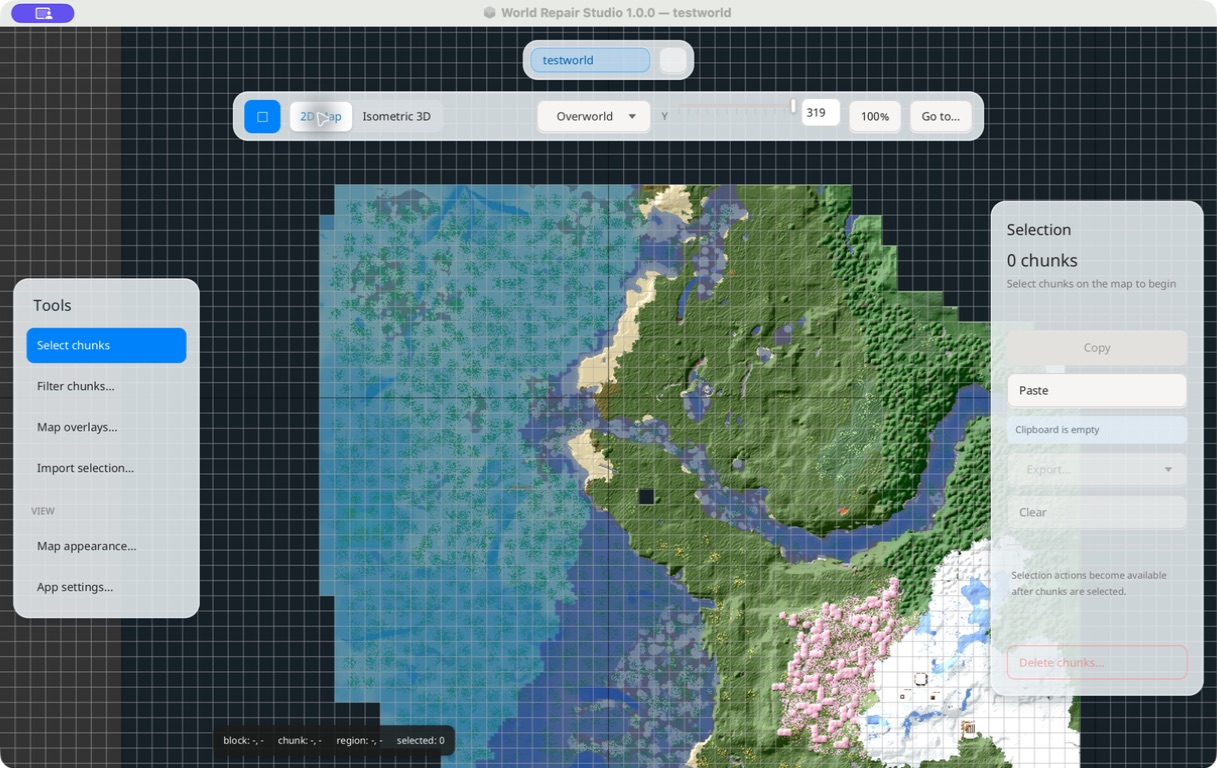
Return to the full 2D region map for exact selection. Filters and overlays help locate chunks by age, status, biome, entities, structures, coordinates, and other stored data.
World tabs and selection context make copy-and-paste work easier to follow when moving a build or clean region from one open save to another.
Repair is a workflow, not a magic button
World Repair Studio helps you perform deliberate region-level fixes. It does not automatically diagnose every corrupt save; it gives you clearer ways to inspect, isolate, transfer, export, or remove the chunks involved.
Select explored or damaged chunks, back up the world, then remove only those chunks so Minecraft can generate them again.
Copy a selected area, switch world tabs, and paste it into another compatible Java Edition save.
Use filters, overlays, coordinates, and visual context to narrow a problem before making an edit.
Preserve selected chunks or images outside the working save before a destructive operation.
The usability fork
The map becomes the canvas. Translucent tool, view, and selection controls stay close without burying the world in windows.
Open saves remain visible while selections move between them, with clearer copy, paste, export, and destination context.
A purpose-built 3D interpretation uses cached surface colors and height data without pretending to be a second Minecraft renderer.
Readable confirmations, a clearer welcome screen, and explicit disabled states make it harder to lose track of what an action will affect.
Release 1.0.0 ships installers for Windows, Apple silicon and Intel Macs, Debian/Ubuntu, Fedora/RHEL, plus a universal JAR.
Real application captures
Drag or scroll horizontally to move through the workspace.
Release 1.0.0
Native installer for 64-bit Windows.
Download .exe ↓For M1, M2, M3, M4, and later Apple chips.
Download ARM64 .dmg ↓For Intel-based Mac computers.
Download x64 .dmg ↓64-bit package for Debian-based systems.
Download .deb ↓64-bit package for RPM-based systems.
Download .rpm ↓Portable archive for systems with JavaFX available.
Download .jar ↓Community builds are not notarized or commercially code-signed. Your operating system may ask you to confirm that you trust the download.
Open-source lineage
Original MCA Selector copyright © 2018–2026 Querz. World Repair Studio modifications copyright © 2026 Samuel Barron. Distributed under the MIT License.